

Small and medium businesses spend roughly 23 hours per week on repetitive tasks that don’t require human judgment, from pulling reports across scattered tools to re-entering data from one system into another. OpenAI’s GPT-5.5, released on April 23, 2026, changes what’s realistically automatable for companies that can’t afford dedicated AI engineering teams. Its benchmark scores, 78.7% on OSWorld-Verified for real computer operation, 84.9% on GDPval for knowledge work across 44 occupations, and 98.0% on Tau2-bench Telecom for customer service workflows, aren’t academic achievements. They map directly to the tasks your team already handles manually every day. The practical question isn’t whether these capabilities exist, but how to apply them without writing thousands of lines of custom integration code. That’s where pairing GPT-5.5 with n8n’s visual workflow orchestration becomes the most accessible path for SMBs to capture real productivity gains in 2026.
What makes GPT-5.5 different for business automation
Previous GPT models were powerful, but they functioned primarily as intelligent responders. You sent a prompt, received an answer, and then figured out how to apply it. GPT-5.5 is built around a fundamentally different architecture, one designed for sustained, multi-step agentic work. It can plan a task sequence, execute individual steps using tools, check its own output for errors, and keep going until the job is finished without requiring constant human supervision.
OpenAI’s own internal results demonstrate what this looks like at scale. The company’s Finance team used Codex running GPT-5.5 to review 24,771 K-1 tax forms totaling 71,637 pages, completing the task two weeks faster than the previous year’s manual process. The Go-to-Market team automated weekly business reporting, saving 5 to 10 hours per week. These aren’t hypothetical scenarios; they represent actual workflows executed by actual teams at the company that built the model.
Benchmarks that translate to business tasks
The benchmark numbers matter because they tell you what category of work is now reliably automatable. Here’s how each score maps to concrete SMB use cases.
| Benchmark | Score | What it measures | SMB use case |
|---|---|---|---|
| OSWorld-Verified | 78.7% | Operating real desktop environments (GUIs, browsers, file systems) | Data entry in legacy systems, CRM updates, spreadsheet workflows |
| GDPval | 84.9% | Knowledge work quality across 44 occupations | Report drafting, analysis, document processing, scheduling |
| Tau2-bench Telecom | 98.0% | Complex customer service workflows (zero-shot) | Support ticket resolution, customer inquiry handling, FAQ automation |
| Terminal-Bench 2.0 | 82.7% | Multi-step command-line operations | Data pipeline tasks, log analysis, infrastructure management |
| SWE-Bench Pro | 58.6% | Real-world bug resolution from GitHub | Internal tool bug fixes, script maintenance, codebase updates |
The OSWorld-Verified score is arguably the most significant for SMBs. At 78.7%, it means GPT-5.5 can reliably navigate graphical interfaces, fill in forms, click buttons, and move between applications, even software that lacks an API. This capability eliminates the traditional barrier to automating legacy tools. If a human can do it by clicking through a screen, GPT-5.5 can now do it most of the time. The Tau2-bench result is equally notable because it was achieved without any prompt tuning, meaning the model handles industry-specific workflows out of the box.

Why n8n is the right orchestration layer for SMBs
GPT-5.5’s capabilities are impressive, but they exist inside ChatGPT and Codex, not directly inside your CRM, accounting software, or email client. To turn model intelligence into automated business workflows, you need an orchestration layer. n8n, currently at version 2.11.4 as of April 2026, has emerged as the most practical option for SMBs that want the flexibility of code without requiring a full development team.
Unlike Zapier or Make, which charge per execution and become expensive at scale, n8n offers a self-hosted open-source option that keeps costs predictable. Its AI Agent node provides native integration with OpenAI models, and the platform supports over 400 integrations including Google Workspace, Salesforce, HubSpot, Slack, and every major database and email system your business already uses. The critical feature for GPT-5.5 workflows is n8n’s support for Model Context Protocol (MCP), which lets you connect external tools directly to the AI agent so it can decide which ones to call based on the task at hand.
Three real SMB workflows you can build right now
1. Automated lead qualification and CRM enrichment
A new lead arrives through your website form. n8n catches the webhook, sends the lead data to GPT-5.5, which researches the company online, qualifies the lead based on your criteria, enriches the CRM record with firmographic data, drafts a personalized follow-up email, and notifies your sales team in Slack. The entire workflow runs in under two minutes with zero manual intervention. OpenAI’s API pricing for GPT-5.5 sits at $5 per million input tokens and $30 per million output tokens, but because the model uses roughly 40% fewer tokens than GPT-5.4 for equivalent tasks, the effective cost per completed workflow is lower than you’d expect, often under $0.05 per lead.
2. Weekly report automation across multiple data sources
This mirrors what OpenAI’s own Go-to-Market team achieved. A scheduled n8n trigger runs every Monday at 7 AM. The workflow pulls data from your accounting software, CRM, and Google Analytics. GPT-5.5 synthesizes the numbers, identifies trends, generates charts and written commentary, and produces a formatted report that lands in your team’s shared Google Drive and Slack channel. The 5 to 10 hours per week that OpenAI’s team saved is a realistic benchmark for similar-sized businesses. The model’s 88.5% score on internal investment-banking modeling tasks means the financial analysis quality is genuinely useful, not just formatted data dumps.
3. Document processing at scale
OpenAI’s Finance team reviewed 71,637 pages of tax forms. Your business might handle invoices, contracts, or compliance documents, but the pattern is identical. An n8n workflow monitors your email inbox or file storage for incoming documents. GPT-5.5 reads each document, extracts relevant data fields, cross-references information against your existing records, flags discrepancies, and writes structured data to your accounting or compliance system. With the model’s 1-million-token context window available through the API, it can process very large documents in a single pass.
Getting started: Practical setup steps
- Choose your n8n deployment. Self-host on a VPS (DigitalOcean, Hetzner) for $10-20/month, or use n8n Cloud starting at $20/month for managed infrastructure. Self-hosting gives you unlimited executions; cloud plans have execution limits.
- Connect OpenAI as your LLM provider. Add an OpenAI credentials node in n8n using your API key. Select
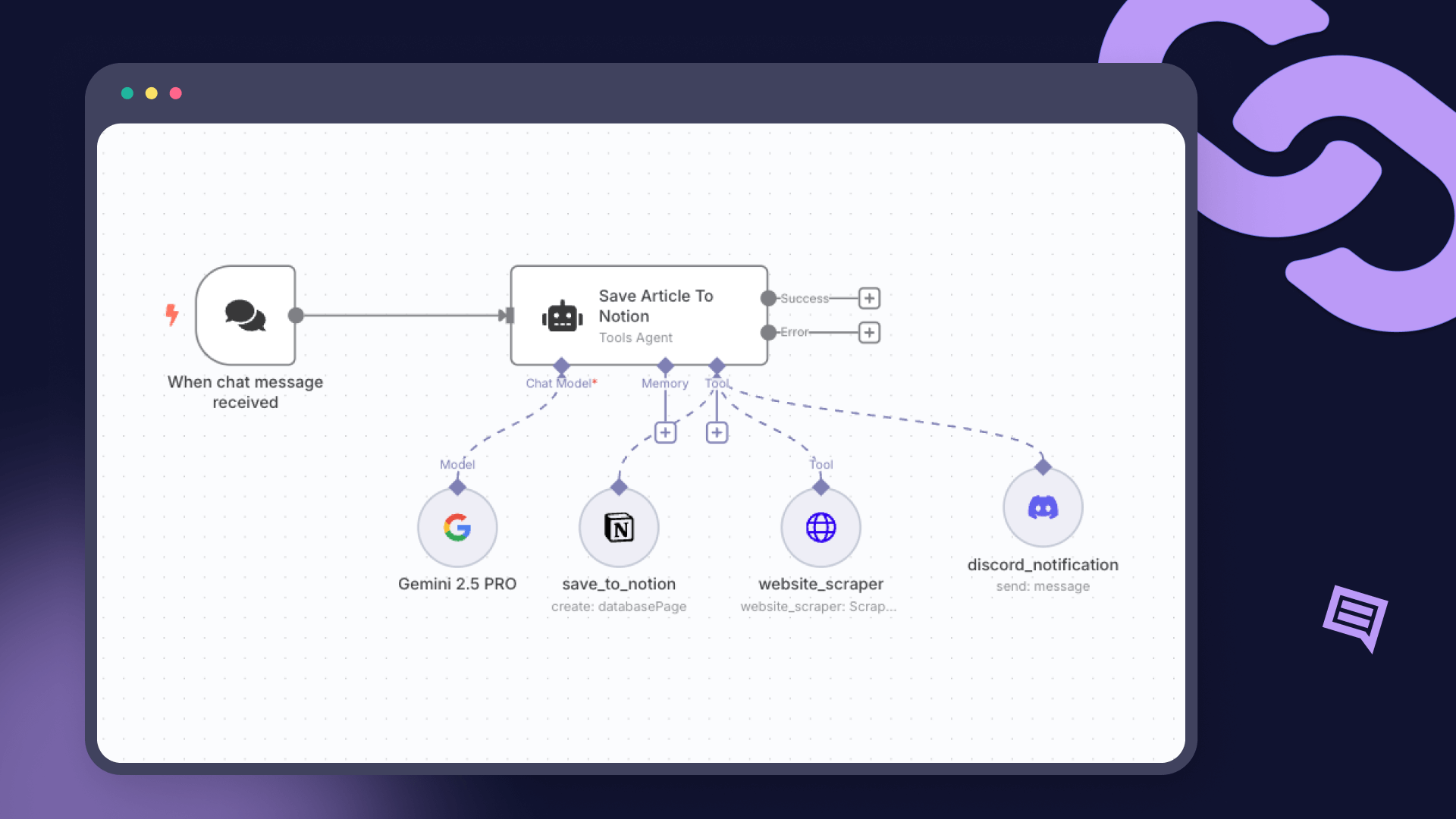
gpt-5.5as the model. Batch and Flex pricing are available at half the standard API rate if you’re processing large volumes. - Build your first agent workflow. Start with n8n’s AI Agent node. Connect a Chat Trigger (for testing) or a Webhook/Schedule Trigger (for production). Attach tool sub-nodes for the actions your agent needs: HTTP requests, database queries, Slack messages, Google Sheets updates.
- Add memory and guardrails. Attach a Window Buffer Memory node so the agent maintains context across multi-step tasks. Use n8n’s If/Switch nodes to add business logic guardrails that prevent the agent from taking unauthorized actions.
- Test with real data, then deploy. Run the workflow manually with real inputs before enabling the production trigger. Verify output quality, check for edge cases, and set up error handling nodes that alert you when something fails.
What this costs an SMB in practice
The economics work even for small teams. Here’s a realistic cost breakdown for a 15-person business automating lead qualification, weekly reporting, and document processing.
| Component | Monthly cost | Notes |
|---|---|---|
| n8n self-hosted (VPS) | $20 | 2GB RAM VPS, unlimited executions |
| GPT-5.5 API usage | $50-150 | Varies by volume; Batch pricing halves this |
| ChatGPT Team ($25/user) | $375 | Optional: for manual GPT-5.5 access per user |
| Total (API-only approach) | $70-170 | Replaces 15-30 hours of manual work weekly |
At even $170 per month, if the automation saves 20 hours of employee time valued at $30 per hour, you’re looking at $600 in recovered productivity against $170 in costs. That’s a 3.5x return before you account for faster response times, fewer errors, and the compounding value of consistent data across your systems.
Limitations and realistic expectations
GPT-5.5 is genuinely capable, but it’s not infallible. The 78.7% OSWorld score means roughly one in five computer-use tasks will fail or require human intervention. The 58.6% SWE-Bench score means complex software engineering still needs experienced developers. For SMB automation, the practical approach is to design workflows that handle the 75-85% of routine cases automatically while routing exceptions to human team members. n8n’s conditional logic nodes make this straightforward: if the model’s confidence is low or the output doesn’t pass a validation check, the workflow pauses and sends a notification instead of pushing potentially incorrect data into your systems.
Security considerations matter as well. When GPT-5.5 operates through Codex’s computer use feature, it can see screens, click buttons, and type into applications. Treat these AI agents like you would a new employee with broad system access: give them the minimum permissions needed for their tasks, audit their actions, and keep sensitive data (customer PII, financial records) out of API calls where possible. OpenAI’s Privacy Filter, announced alongside GPT-5.5, can help strip personal information before it reaches the model.
Where to start this week
The businesses that will see the fastest returns from GPT-5.5 automation are those that start with their most repetitive, highest-volume workflows. Identify the task your team does most frequently that involves moving data between tools, processing documents, or generating reports. Build one n8n workflow for that single task. Measure the time saved. Then expand from there.
The technology is ready. GPT-5.5’s benchmark scores confirm that agentic AI can now handle the majority of routine knowledge work reliably. n8n provides the orchestration layer to connect that intelligence to your existing tools without custom development. OpenAI’s own internal results, from processing 71,637 pages of tax forms to automating weekly reports, prove these aren’t theoretical capabilities. They’re production workflows running today. The question for SMBs isn’t whether AI automation works; it’s how quickly you’ll start capturing the gains for your team.


[…] decision point for operational efficiency. The choice between Claude Opus 4.7, OpenAI’s GPT-5.4, and Google’s Gemini 3.1 Pro now involves balancing extreme reasoning capabilities against […]